J
Jennifer
Guest
- Thread Author
- #1
Turn a favorite vacation photo into a puzzle. It will become a treasured souvenir the whole family can enjoy!
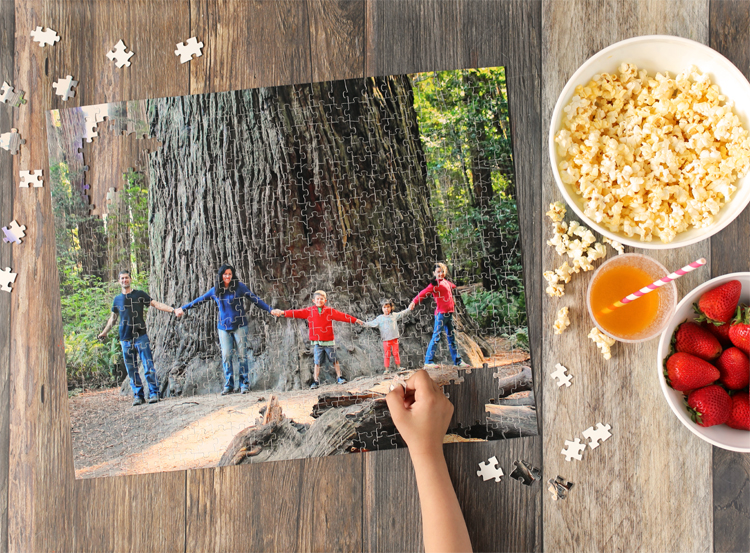
I recently created a puzzle out of one of our favorite vacation photos and our family has really enjoyed it. I love that it helps my children remember our trip. You won’t believe how quick and easy it was to do using Photoshop Elements 2019. I cropped and edited my photo and sent it to be made into a puzzle all right within the Photoshop Elements software and a few days later the completed puzzle showed up at my door.
I’ll walk you through every step, but there’s also a video tutorial, so if you’d rather watch that, scroll to the bottom of this post.
If you don’t already own Photoshop Elements 2019, you can download a free trial here.
How to Make A Photo Puzzle in Adobe Photoshop Elements
Step 1: Open the photo you would like to use in Photoshop Elements. Click on the button near the top of the screen that says, “Quick.”
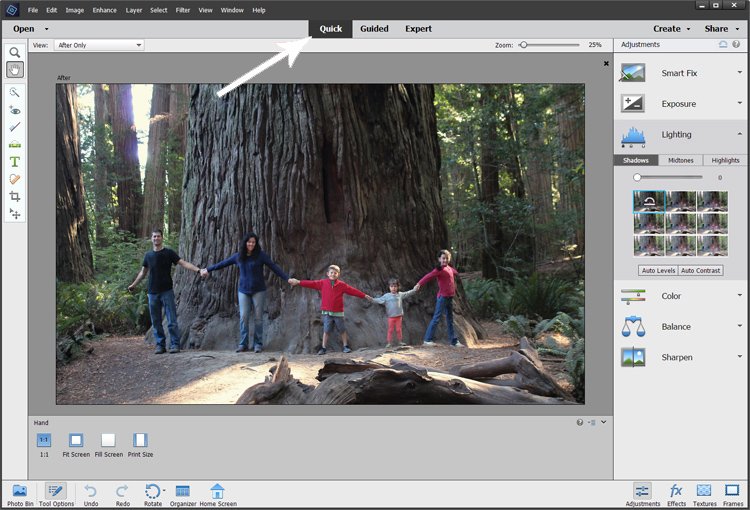
On the right hand side of the screen you’ll see several tabs to help guide you through making your treasured family photo look the best it can. It’s easy to experiment by hovering over the small pictures or by moving the sliders from side to side. Don’t worry… it’s easy to undo anything you don’t like.
Here’s how I edited my photo:
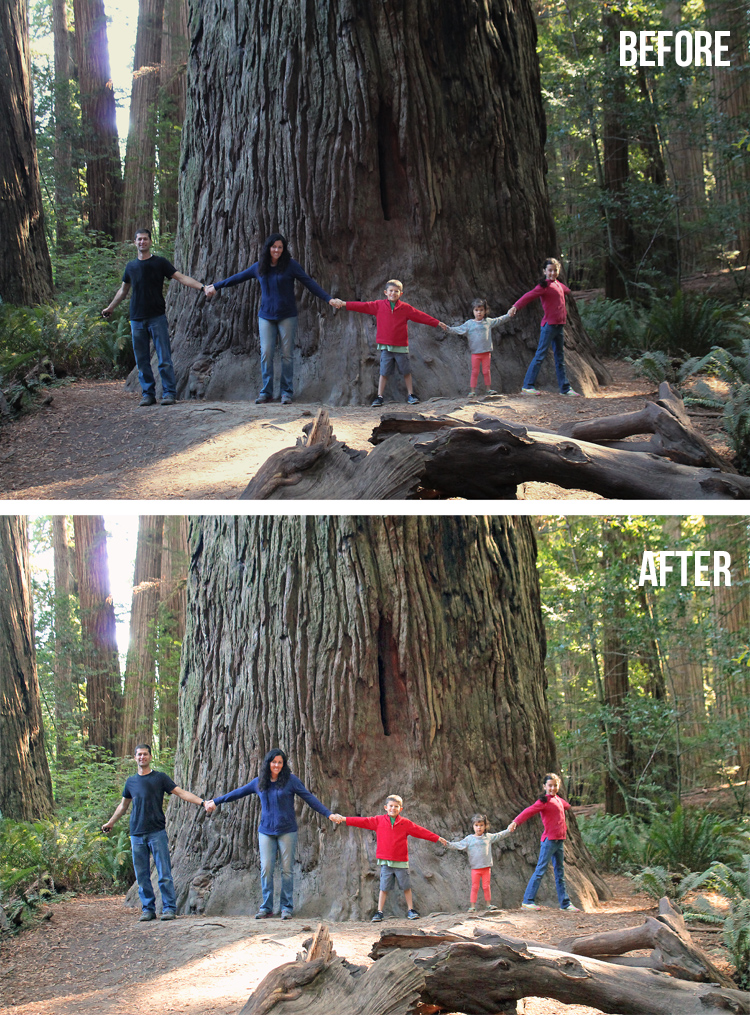
Doesn’t it look so much prettier with a bit of editing? I brightened it, increased the saturation, warmed up the temperature and sharpened the image.
Step 2: Ordering a puzzle is simple in Adobe Photoshop Elements 2019. Just click File > Order Prints > FUJIFILM Prints and Gifts.
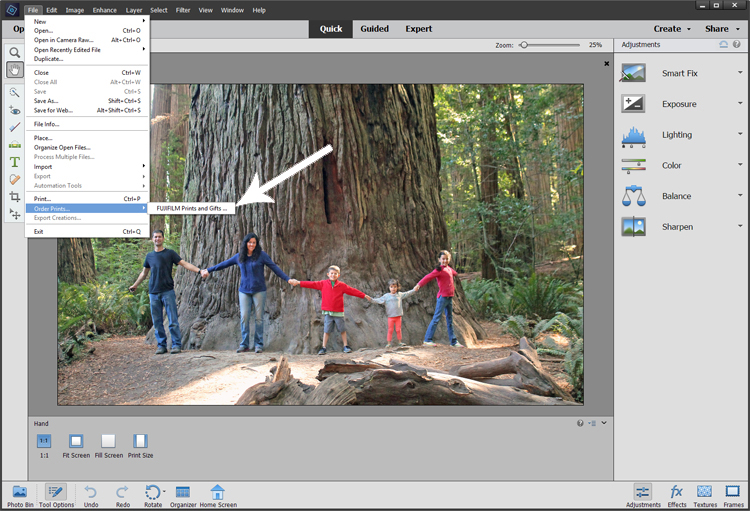
Then follow the instructions on the screen. Once you arrive at the FUJIFILM storefront, click on the “Home and Office” icon, then the “Puzzle” icon and choose the size and style of puzzle you want. I ordered the 16×20 inch premium photo puzzle.
The whole family was excited when our puzzle arrived in the mail. We opened it up right away and started putting pieces together.
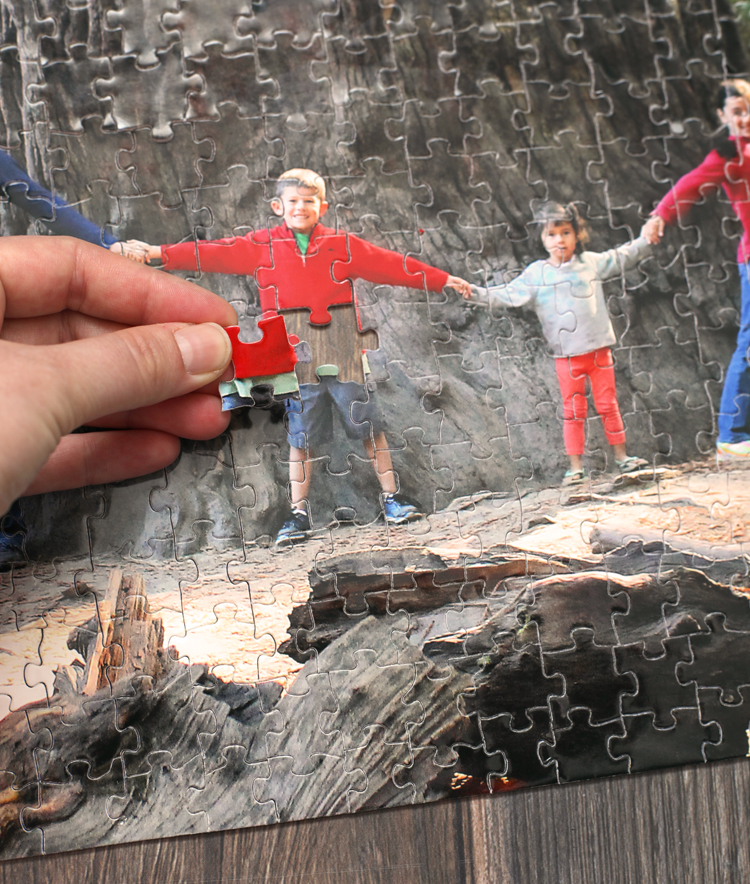
I’m not going to lie… this particular photo made a challenging puzzle! Too much tree bark that all looked the same. Ha!
But we all worked together and eventually finished.
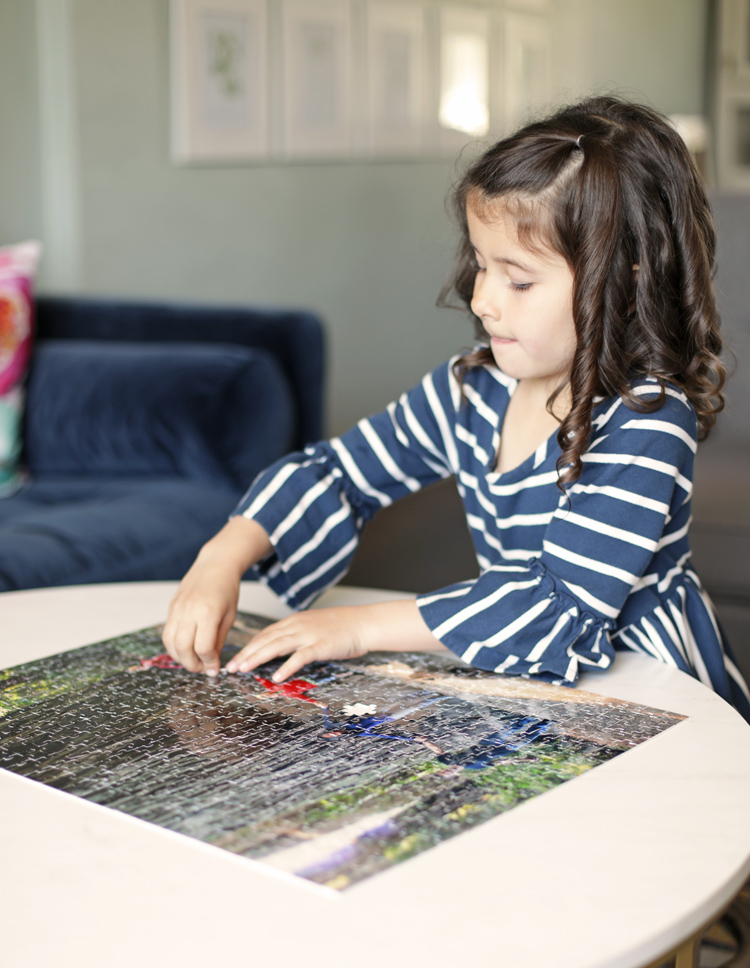
The best part of working on this puzzle together has been talking about our memories of our Redwoods vacation and remembering all of the fun hikes and adventures we enjoyed as a family.
Photoshop Elements Photo Puzzle Video Tutorial
This post is brought to you in partnership with Adobe Photoshop Elements. All opinions are my own.